/Surgical Science Simulation Training

Surgical VR Training Platform
Designed a platform that lets surgeons and staff build interactive VR training modules to teach and assess procedural skills before real surgery.

Why Include This
Complex medical user group and problem space

Company
Surgical Science

Role & Contributions
UX Design, Design Research, Prototyping

Team
4 Designers, 1 PM

Year
2022
Challenge
Our team was tasked with designing a platform that enables surgeons and their support staff to create VR training modules to teach and assess procedural skills before operating. Surgical residents often lack opportunities to practice procedures before surgery. Surgical Science created VR training modules to address this, but developing them involved slow, manual coordination that wasn't scalable.
Outcome

Module creation time: 3 months → under 3 hours.
Enabled the creation of 150+ surgical training modules.
Real-time cloud collaboration.
Awarded Best in Show at the University of Washington Capstone Design Showcase.

Research Process: Understanding Surgeons as Users
I organized and led the research phase, designing and launching a survey to 800+ surgeons and managing interviews with surgeon-educators, then analyzing all data to inform design insights.
- Framing the right questions
After consulting the PM and exploring the problem, we formulated research questions to investigate surgeons’ needs.



RESEARCH QUESTIONS
- How do surgeons organize their content when designing a Maestro module?
- How long are surgeons willing to spend on editing a Maestro module?
- How closely are surgeons involved in the creation of a Maestro module?
- How did surgeons decide on the assessment format for the interactive portions of their Maestro module?
- What module editing tools are important to include within surgical AR training software?
- How will surgeons learn to use the Maestro software?
We compiled a list of research questions to help answer our overarching design question. We derived our interview and survey questions dirrectly from our research questions.
9
- Translating insights to product requirements
We collaborated with the PM to define design requirements.
DESIGN REQUIREMENTS
The main findings from the interview and survey studies informed the following design requirements. These design requirements guided the next phase of the project, which is ideation.
- The creation of a module must be time efficient.
- The modules must be easy to pass off from a surgeon to a colleague with limited surgical experience for completion.
- Modules must provide responses to user error to learn how to amend mistakes rather than work solely through a surgery without flaws.
- Procedural steps and skill learning components must be foundational in the module learning experience.
- The product must train motor skills.
- Modules must provide users with a score after completion to assess proficiency.
15
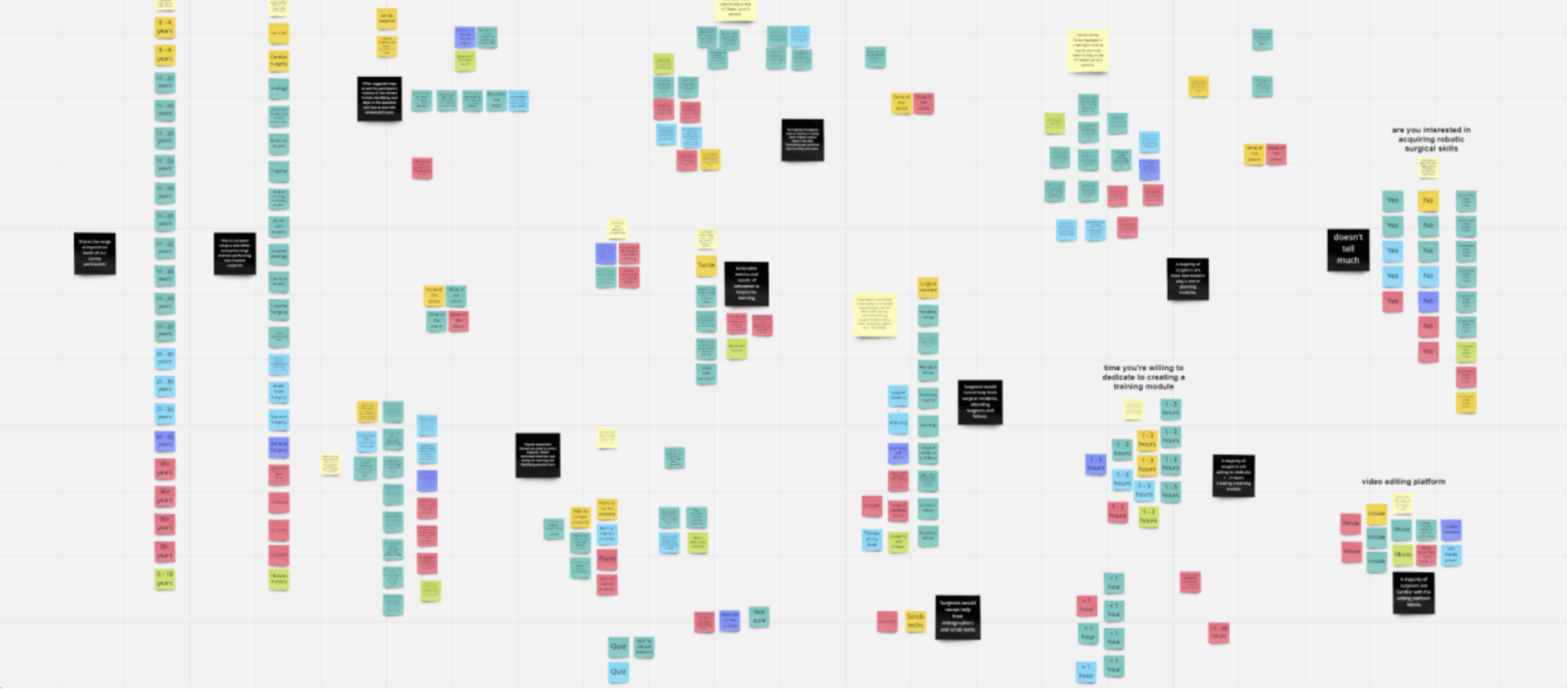
- Mapping the surgeon mindset
We synthesized literature, interviews, and surveys, using affinity mapping and behavioral frameworks to analyze workflows.
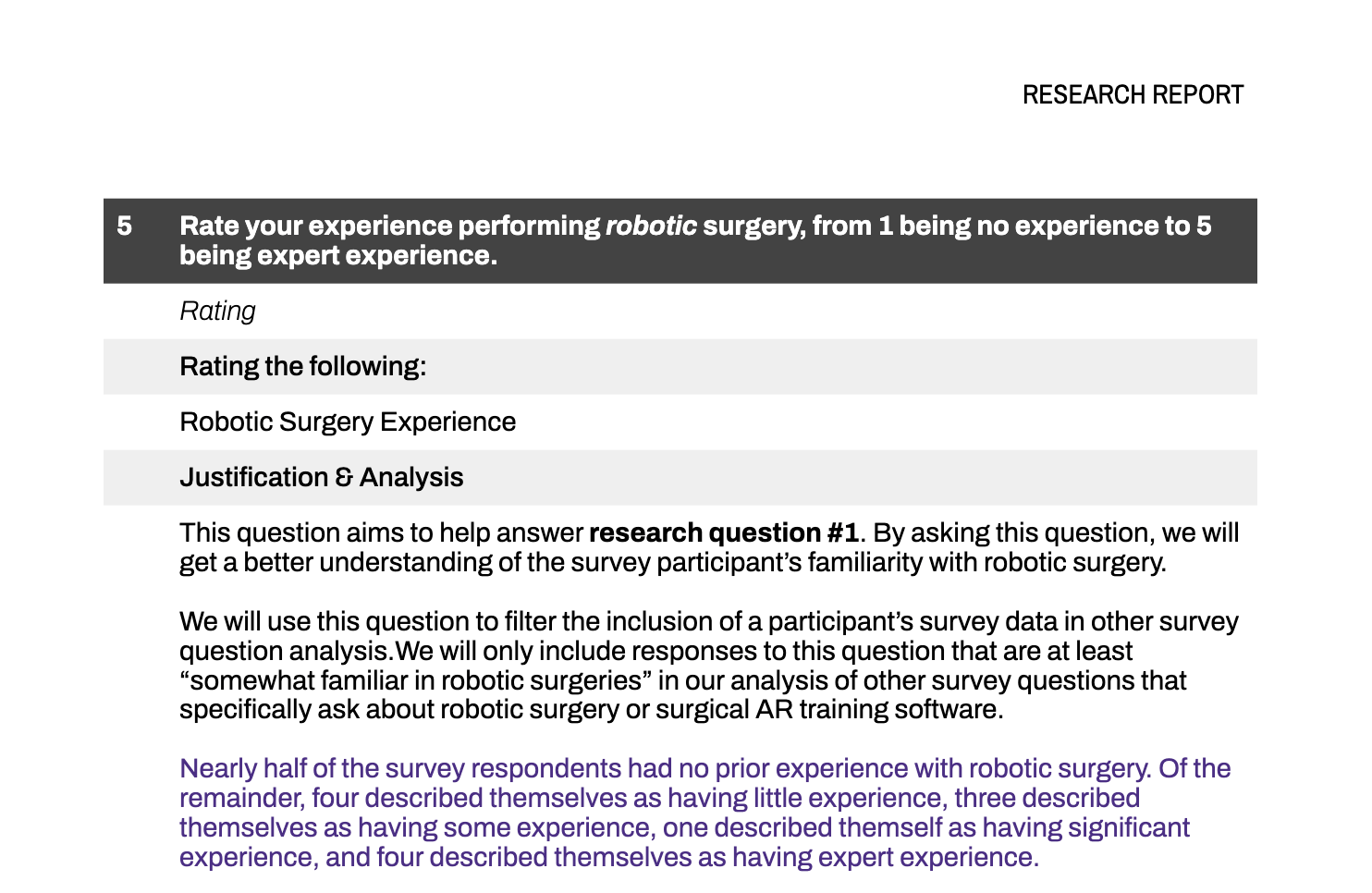
- Conducting interviews and distributing surveys
I Led semi-structured interviews with four surgeon educators and designed and distributed a survey to over 800 surgeons.


Design Process: Iterating to Meet Surgeon Needs
I led ideation and iteration, responsible for the video-to-storyboard user flow across low- and high-fidelity prototypes.
- Ideation and Concept Selection
Generated diverse design concepts in workshops, selecting ideas aligned with research and project goals.
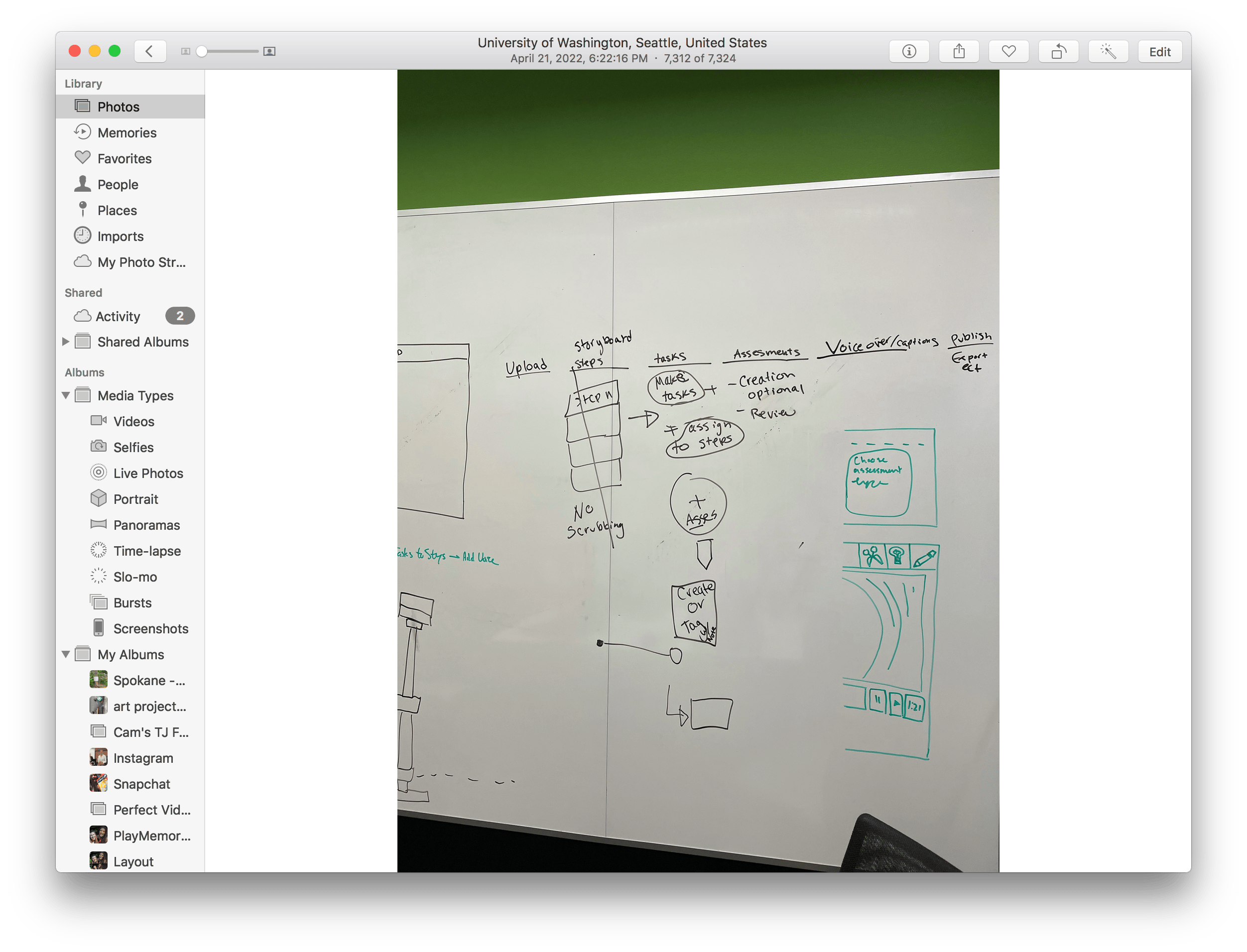
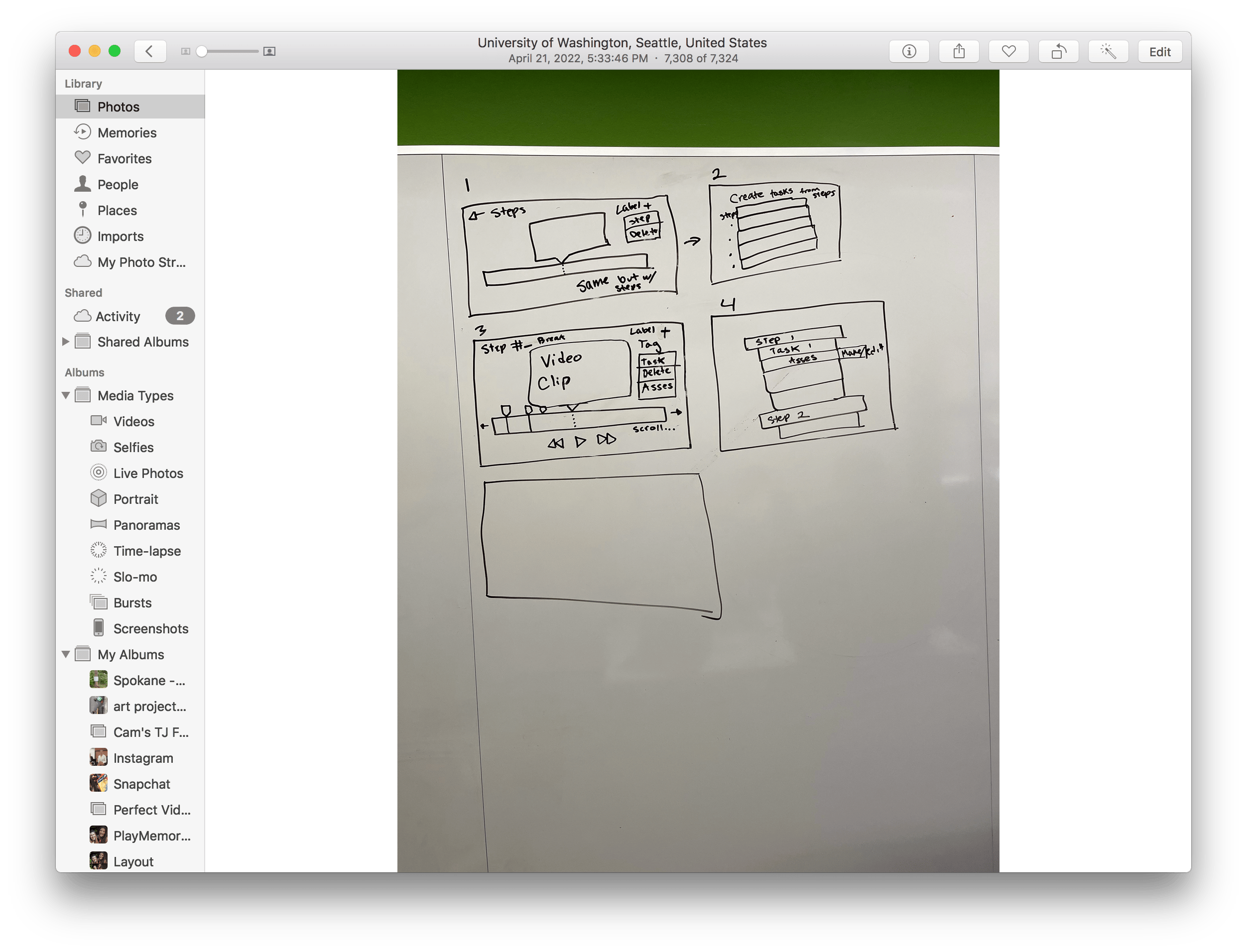
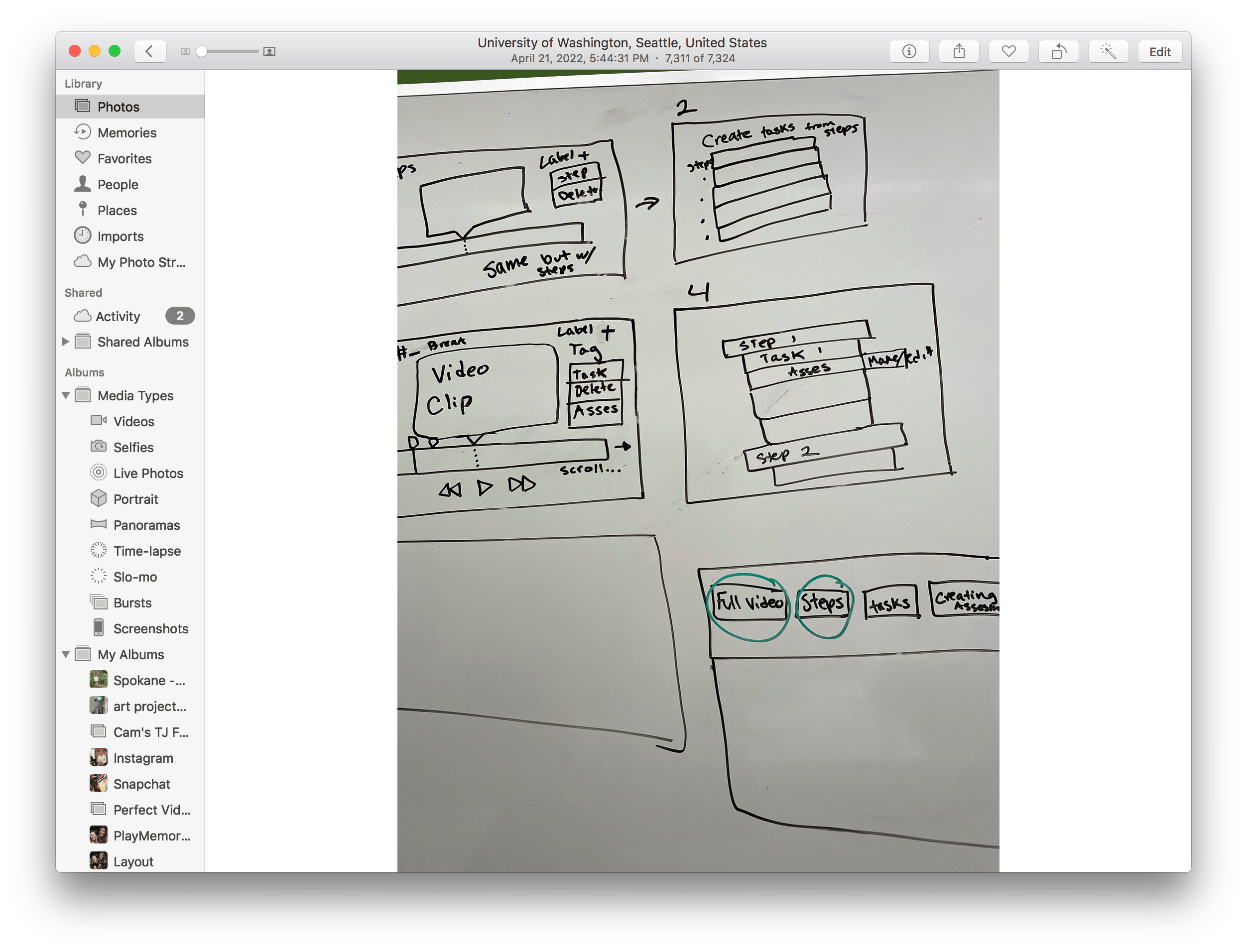
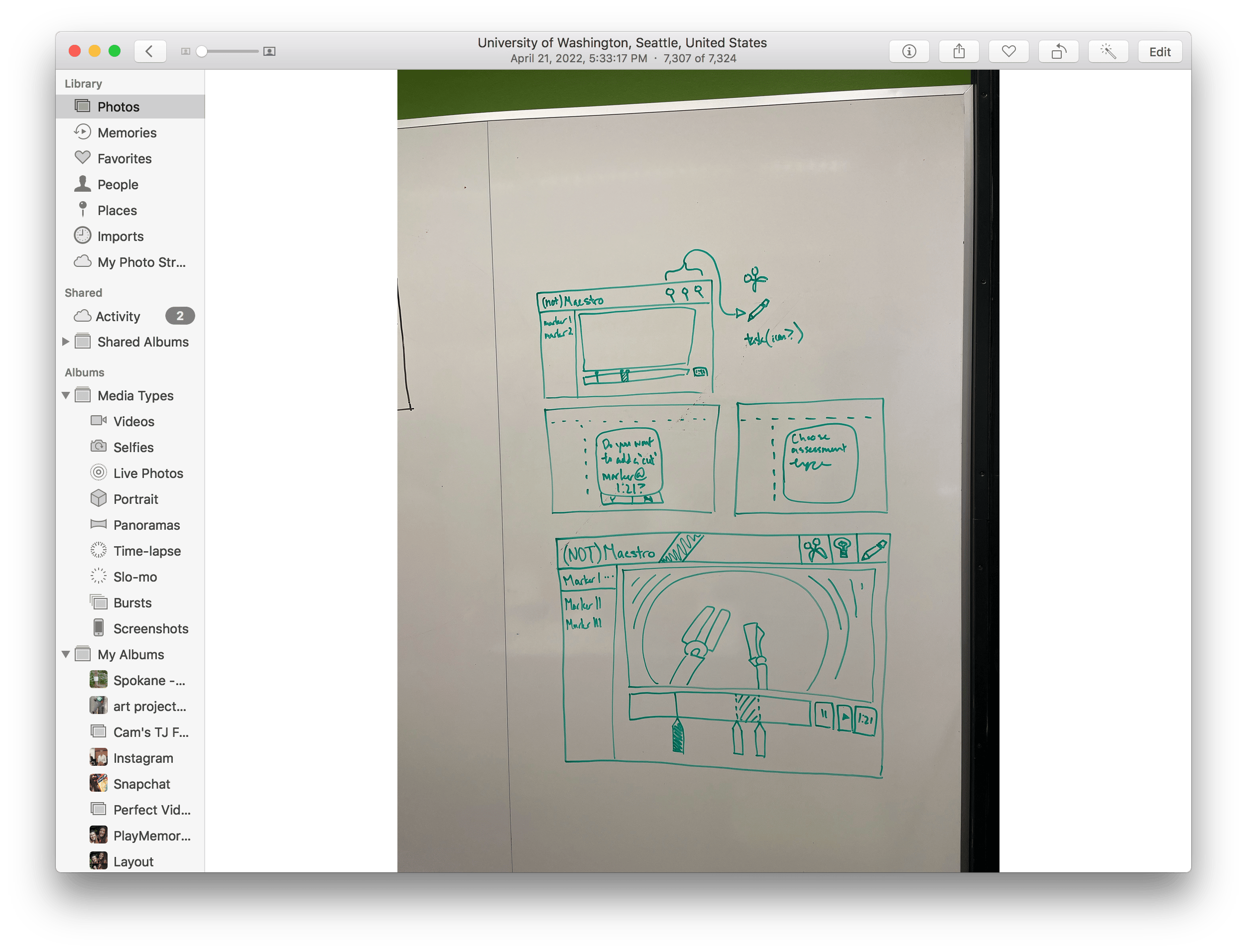
- High-Fidelity Design and Testing
Aligned prototype with brand guidelines through feedback and usability testing, refining designs based on stakeholder input.
- Low-Fidelity Prototyping
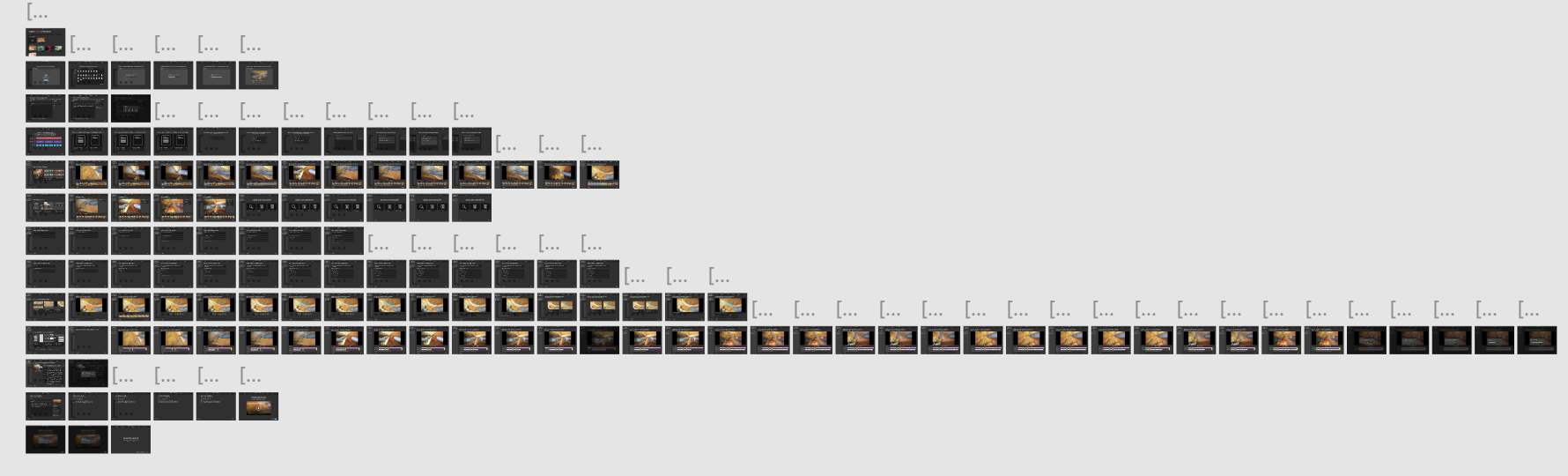
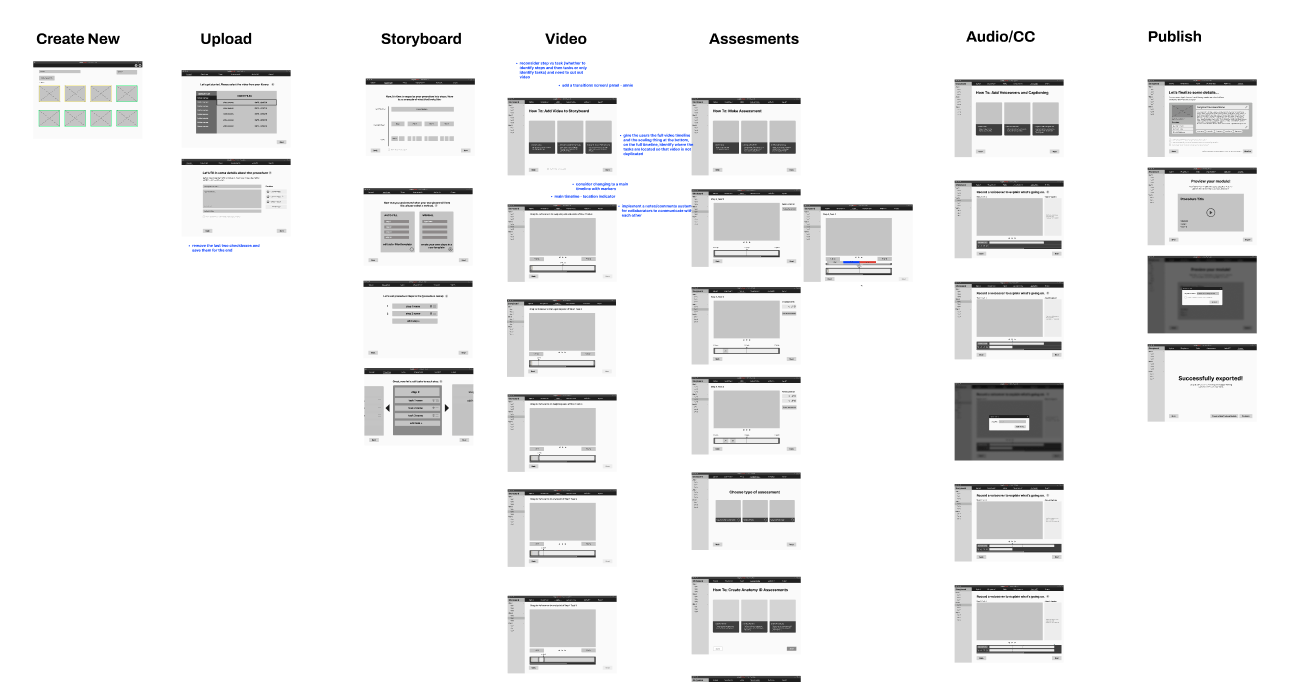
Built a 60+ frame low-fidelity Figma prototype, establishing core interactions and reusable UI patterns.
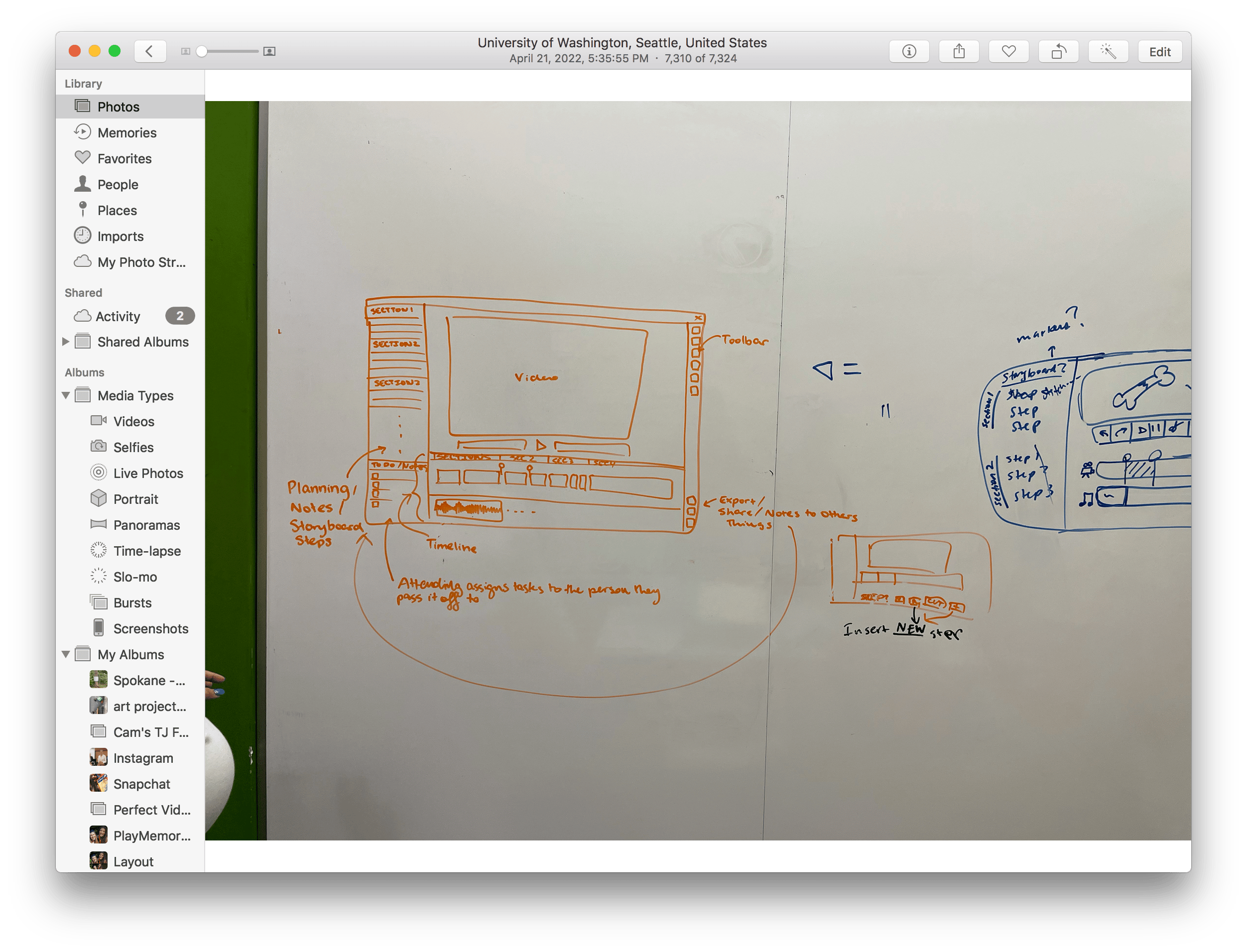
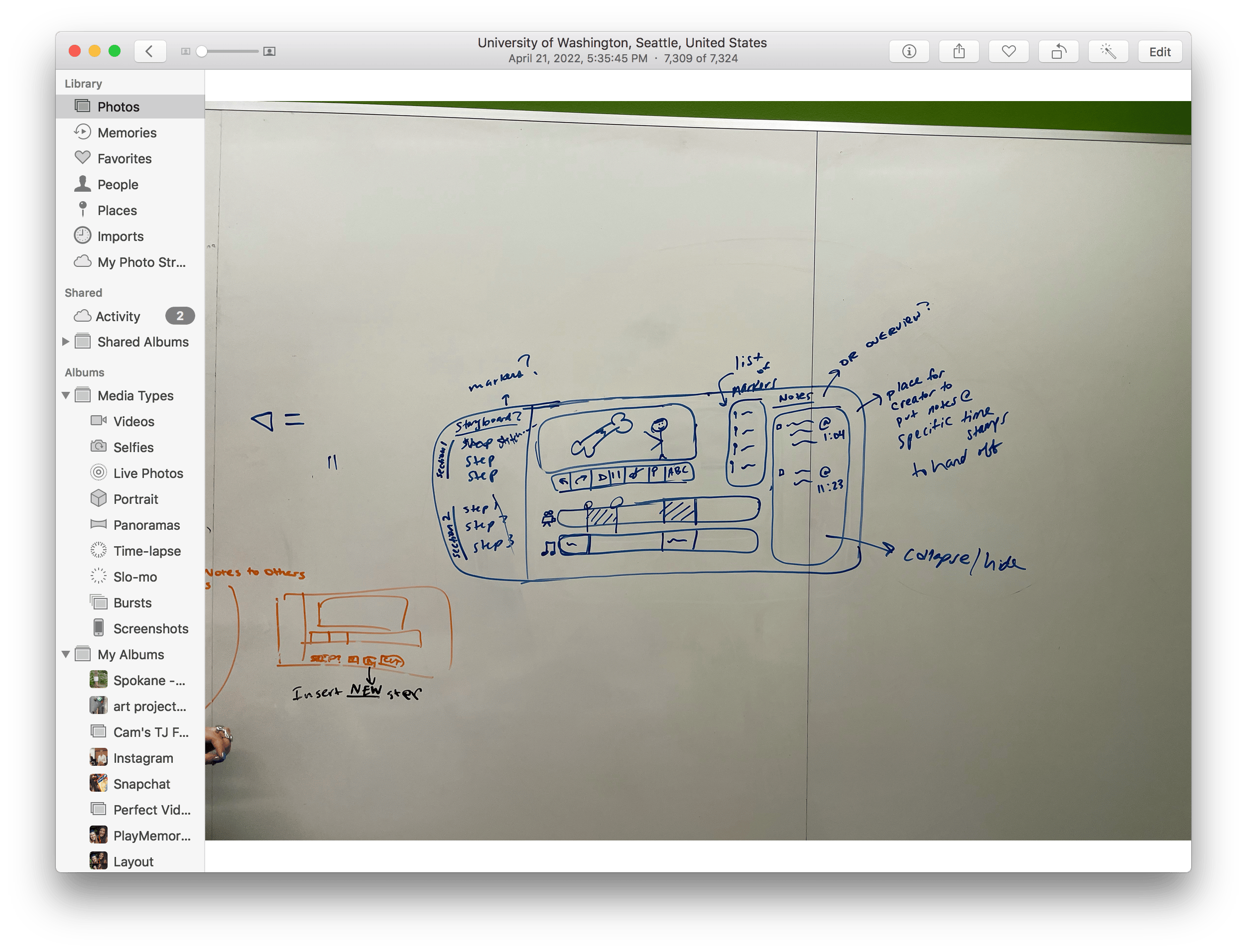
- User Flow Refinement
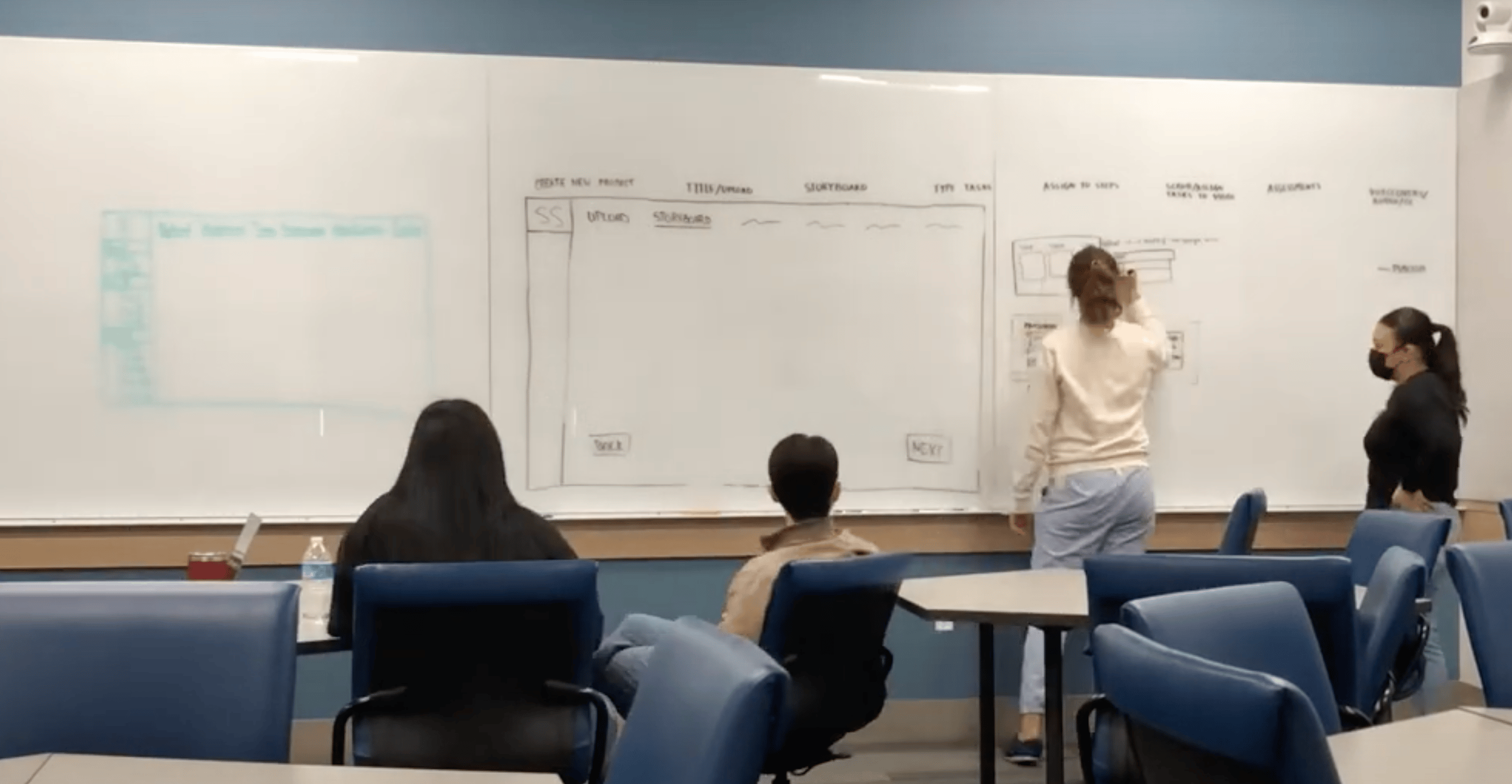
Used comparative analysis to sketch and refine user flows on whiteboards, optimizing interactions before moving to digital.
#5: Creating a Body Anatomy Identification Learning Assessment


Surgery frame + circle anatomy page


Do you want to identify this?

N
Y


Identify more anatomy?
Customize standard questions?
Y
Y
N
N

Type Anatomy Name
Circle anatomy wanting to identify
Customize questions
Complete anatomy

Completed anatomy identification screen
Anatomy Questions
#4: Creating a Multiple Choice Learning Assessment


Type incorrect answer(s)

Complete Multiple Choice
Delete Answer option
Choose: all that apply or multiple choice
Multiple Choice


Type question


Type correct answer(s)
Completed multiple choice question screen
Knowledge checks
#3: Identifying Video to Be Used In the Module

Add Video Marker
Add Assessment Marker
Add Marker at timestamp desired
Add Video Marker to mark end of step
Label with step name
Scrub Timeline

Is this the beginning of a new step?


Y
Y


Would you like to add an assessment?

Finished Scrubbing?


Y
N
N
Plan Complete
Choose Type (optional)
#2: Uploading the Surgical Video

Choose Location
Click ‘Import’
Library/List of Apps

Import from which location?


Successful Import to Timeline
#1: Creating a Storyboard of the Training Module

Add Step and Description
Click ‘storyboard’

Would you like to add an interactive element?
Choose element, Add Information


N
Y

Plan Complete
Solution: Turning Research Insights into Core Features

91% of surgeons rely on residents and fellows, needing seamless handoffs.

Modules must support easy handoff to less-experienced colleagues.

Cloud collaboration lets surgeons assign parts of the module—storyboarding, video, assessments—to team members.
96% of surgeons unwilling to spend more than 3 hours creating a module. 41% had no video editing experience.
Module creation must be quick and simple.
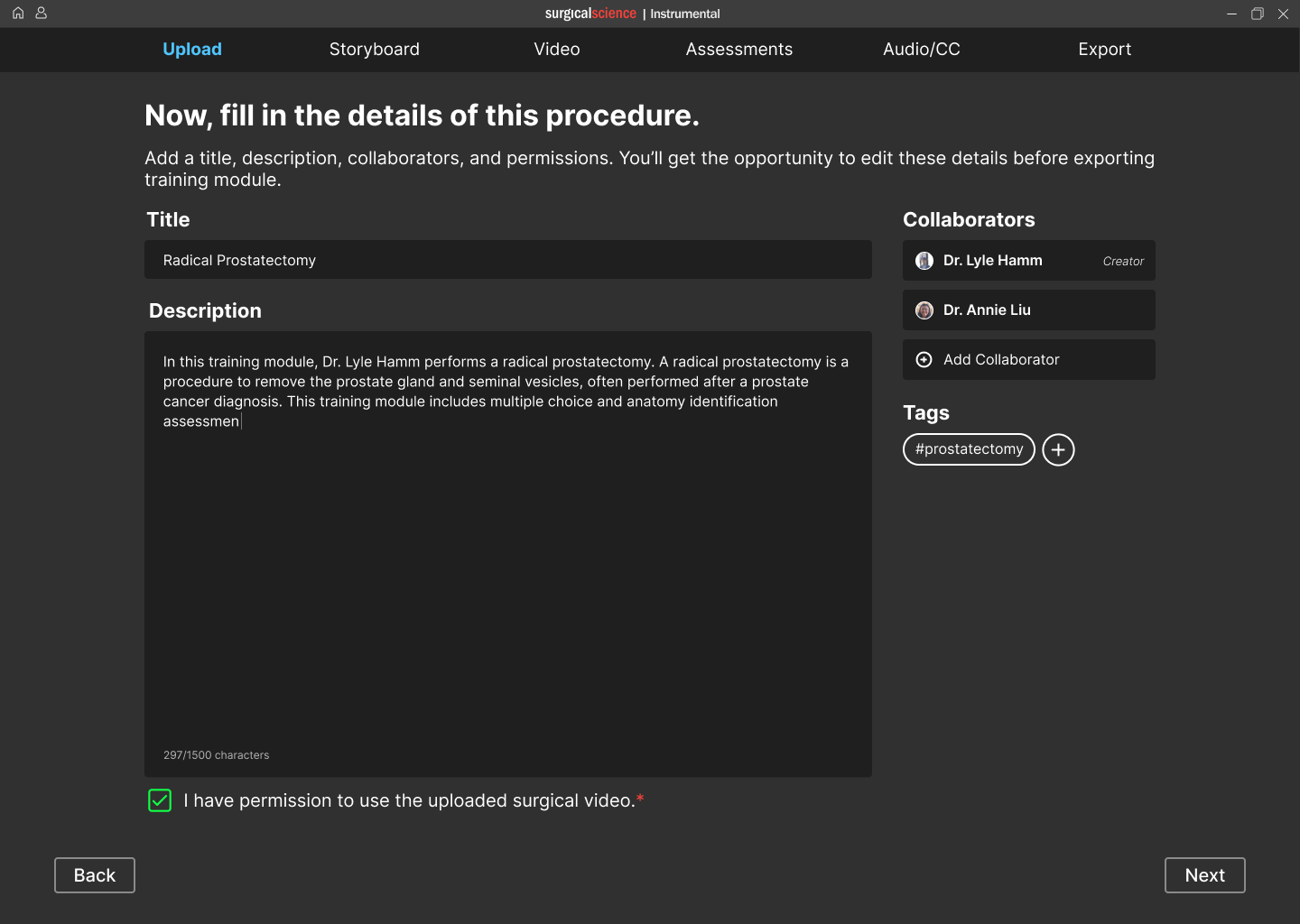
Guided linear workflow with tutorials to save time and reduce cognitive load.
Surgeons prioritized teaching procedural steps followed by assessing students’ comprehension.
Procedural steps and skill learning must be core to the module.
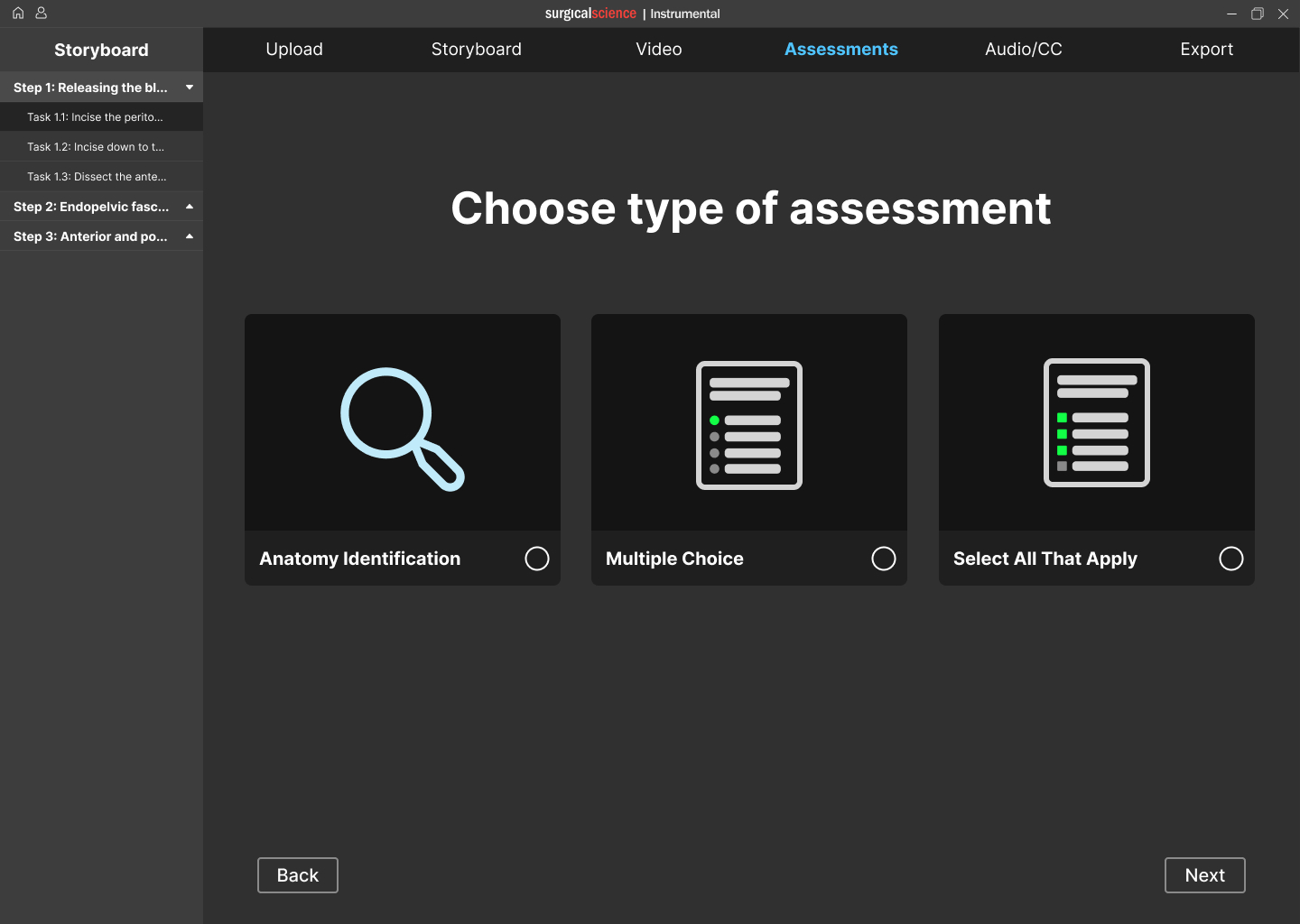
Modules are structured by procedural steps, with embedded assessments to provide instant feedback within the learning process.
Impact
- Enables surgeons to scale their unique surgical techniques without relying on third-party vendors or expensive simulators.
- Democratizes surgical education by providing cost-effective training accessible to more institutions and students.
- Empowers time-constrained surgeons to teach and assess at scale, transforming personal video libraries into interactive learning experiences.
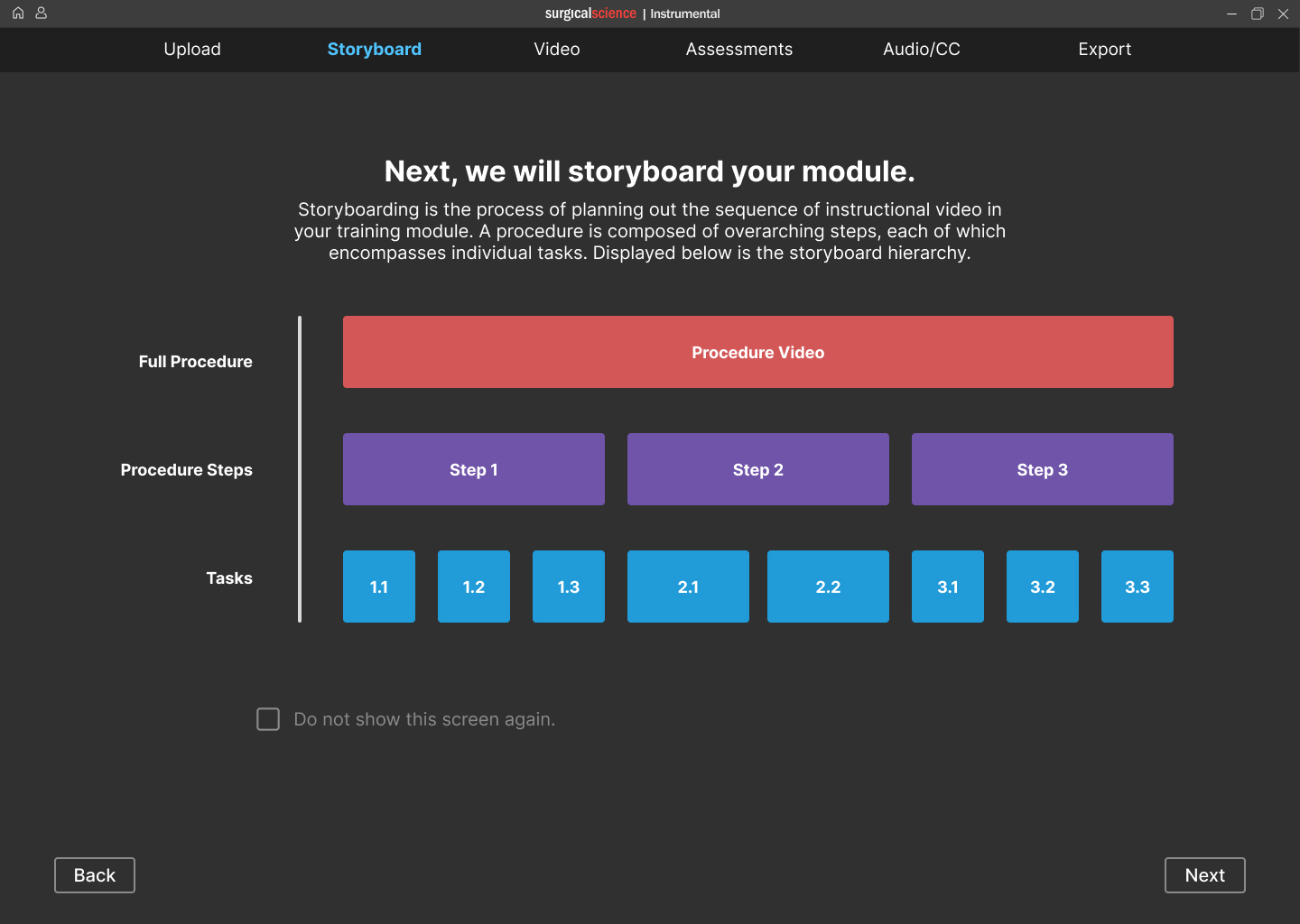
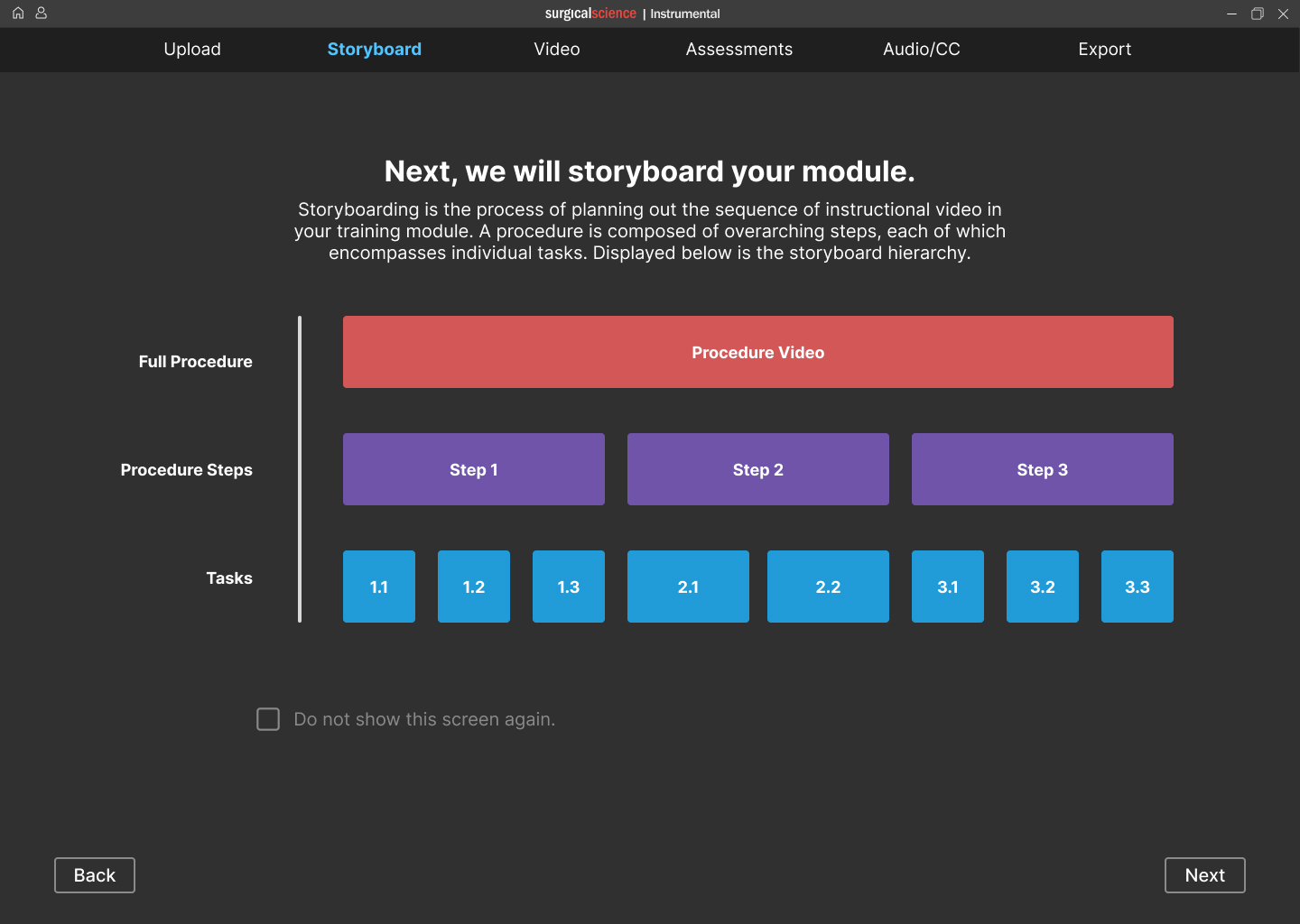
STORYBOARD
Break down the procedural steps.

Insert Your Design Here
Macbook Pro

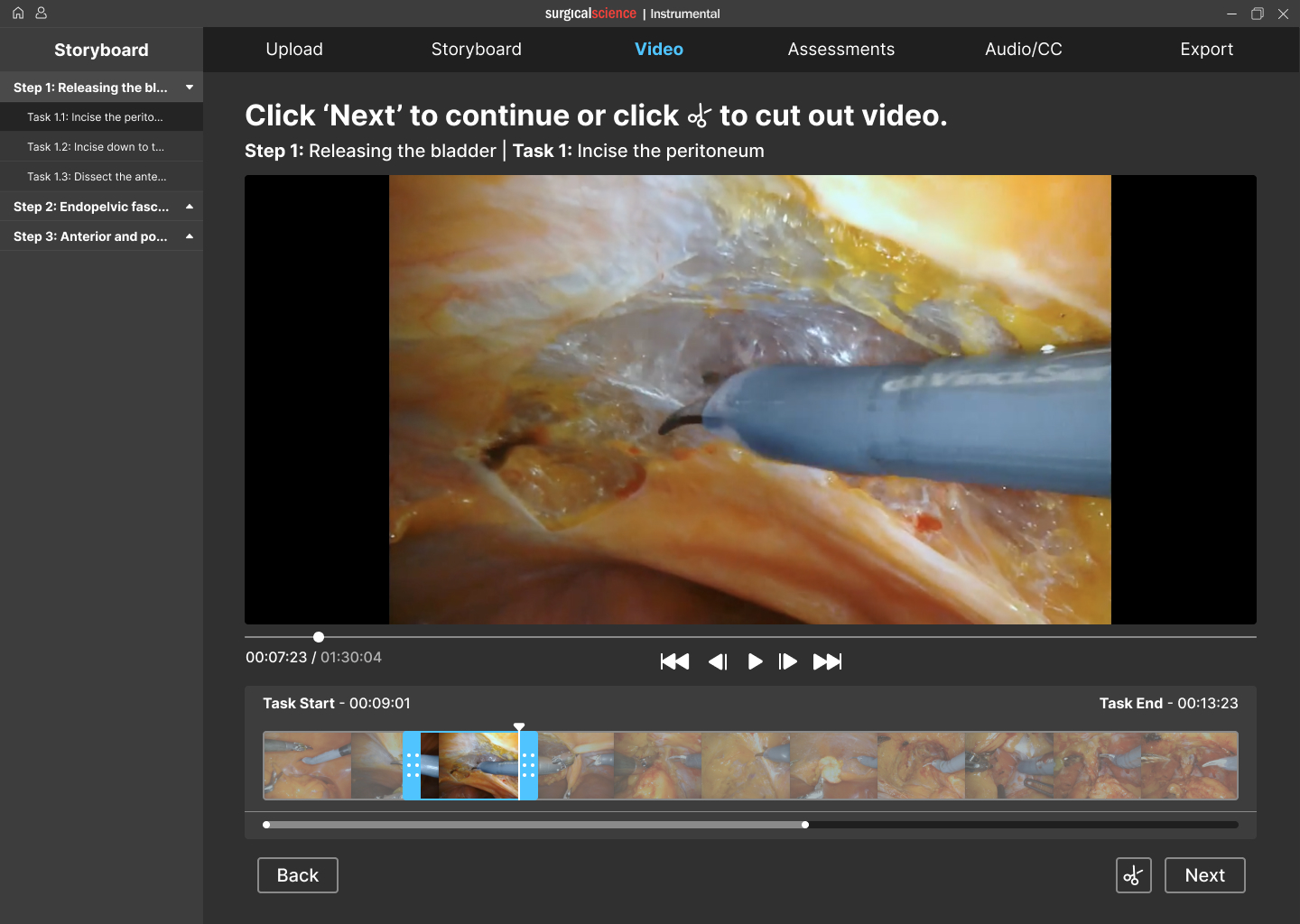
VIDEO
Assign video clips to individual tasks.
Insert Your Design Here
Macbook Pro

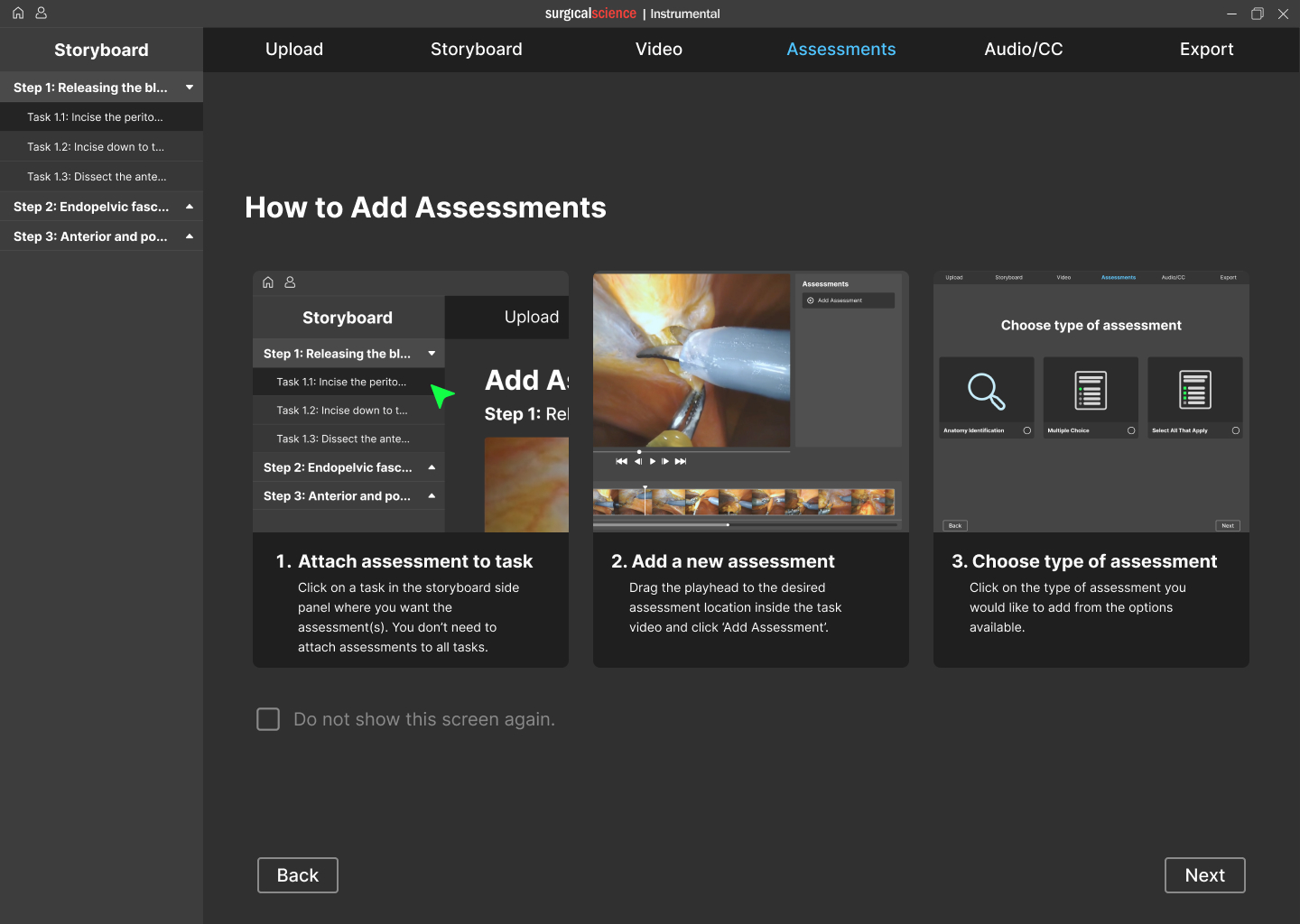
ASSESSMENTS
Add interactive assessments.
Insert Your Design Here
Macbook Pro

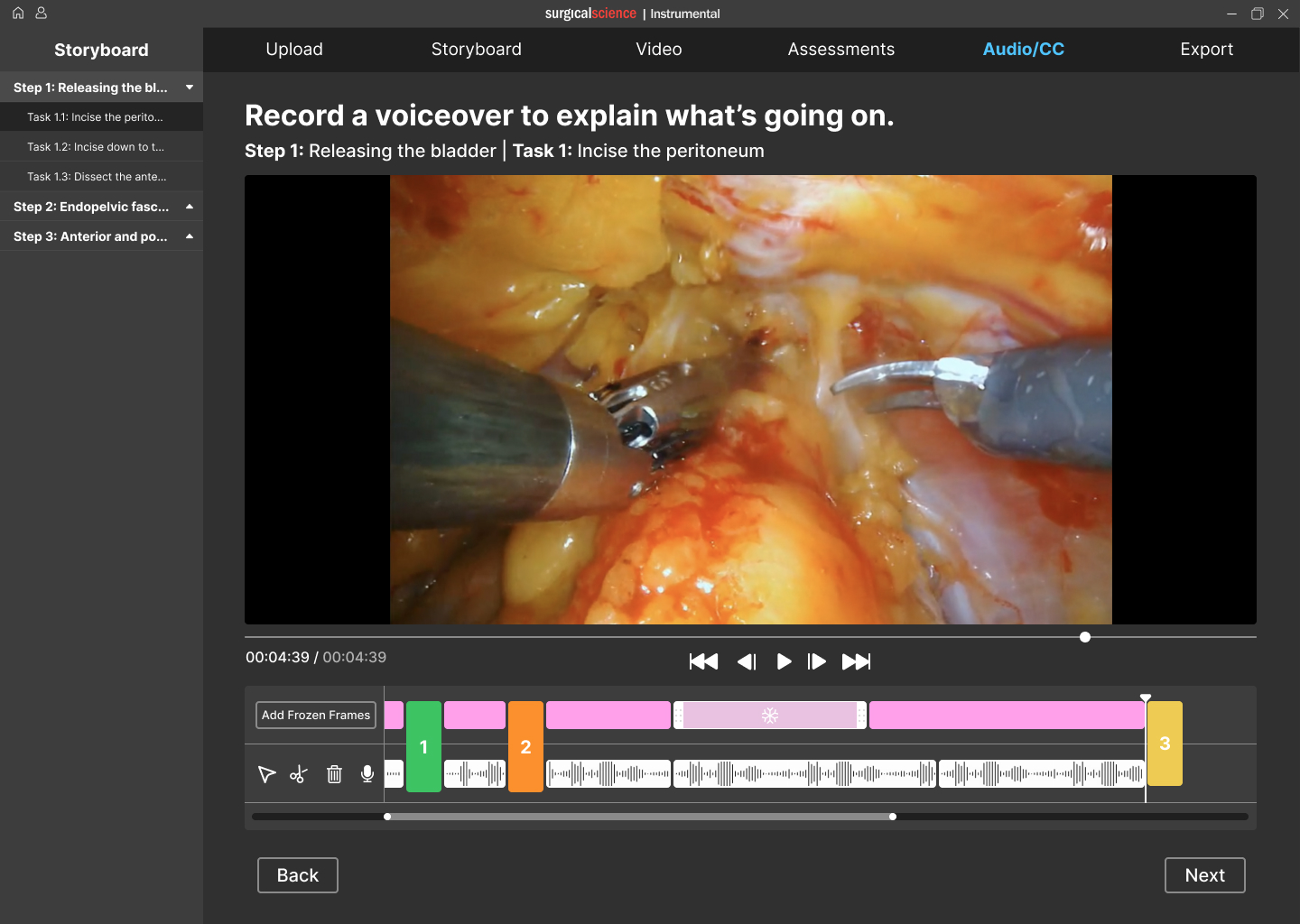
AUDIO & CC
Record audio and add closed captions.
Insert Your Design Here
Macbook Pro

Reflection
Designing for robotic surgery was complex due to surgeons’ limited time, high demands, and low tech skills. I learned to design within tight constraints, prioritize linear workflows, balance simplicity with functionality, and run large-scale research with a highly specialized user group.

back to case studies
/Surgical Science Simulation Training

Surgical VR Training Platform
Designed a platform that lets surgeons and staff build interactive VR training modules to teach and assess procedural skills before real surgery.
Why Include This
Complex medical user group and problem space
Company
Surgical Science
Role & Contributions
UX Design, Design Research, Prototyping
Team
4 Designers, 1 PM
Year
2022
Challenge
Our team was tasked with designing a platform that enables surgeons and their support staff to create VR training modules to teach and assess procedural skills before operating. Surgical residents often lack opportunities to practice procedures before surgery. Surgical Science created VR training modules to address this, but developing them involved slow, manual coordination that wasn't scalable.
Outcome
Module creation time: 3 months → under 3 hours.
Enabled the creation of 150+ surgical training modules.
Real-time cloud collaboration.
Awarded Best in Show at the University of Washington Capstone Design Showcase.

Research Process: Understanding Surgeons as Users
I organized and led the research phase, designing and launching a survey to 800+ surgeons and managing interviews with surgeon-educators, then analyzing all data to inform design insights.
- Framing the right questions
After consulting the PM and exploring the problem, we formulated research questions to investigate surgeons’ needs.
RESEARCH QUESTIONS
- How do surgeons organize their content when designing a Maestro module?
- How long are surgeons willing to spend on editing a Maestro module?
- How closely are surgeons involved in the creation of a Maestro module?
- How did surgeons decide on the assessment format for the interactive portions of their Maestro module?
- What module editing tools are important to include within surgical AR training software?
- How will surgeons learn to use the Maestro software?
We compiled a list of research questions to help answer our overarching design question. We derived our interview and survey questions dirrectly from our research questions.
9
- Translating insights to product requirements
We collaborated with the PM to define design requirements.
DESIGN REQUIREMENTS
The main findings from the interview and survey studies informed the following design requirements. These design requirements guided the next phase of the project, which is ideation.
- The creation of a module must be time efficient.
- The modules must be easy to pass off from a surgeon to a colleague with limited surgical experience for completion.
- Modules must provide responses to user error to learn how to amend mistakes rather than work solely through a surgery without flaws.
- Procedural steps and skill learning components must be foundational in the module learning experience.
- The product must train motor skills.
- Modules must provide users with a score after completion to assess proficiency.
15
- Mapping the surgeon mindset
We synthesized literature, interviews, and surveys, using affinity mapping and behavioral frameworks to analyze workflows.
- Conducting interviews and distributing surveys
I Led semi-structured interviews with four surgeon educators and designed and distributed a survey to over 800 surgeons.

Design Process: Iterating to Meet Surgeon Needs
I led ideation and iteration, responsible for the video-to-storyboard user flow across low- and high-fidelity prototypes.
- Ideation and Concept Selection
Generated diverse design concepts in workshops, selecting ideas aligned with research and project goals.
- High-Fidelity Design and Testing
Aligned prototype with brand guidelines through feedback and usability testing, refining designs based on stakeholder input.
- Low-Fidelity Prototyping
Built a 60+ frame low-fidelity Figma prototype, establishing core interactions and reusable UI patterns.
- User Flow Refinement
Used comparative analysis to sketch and refine user flows on whiteboards, optimizing interactions before moving to digital.
#5: Creating a Body Anatomy Identification Learning Assessment


Surgery frame + circle anatomy page


Do you want to identify this?

N
Y


Identify more anatomy?
Customize standard questions?
Y
Y
N
N

Type Anatomy Name
Circle anatomy wanting to identify
Customize questions
Complete anatomy

Completed anatomy identification screen
Anatomy Questions
#4: Creating a Multiple Choice Learning Assessment


Type incorrect answer(s)

Complete Multiple Choice
Delete Answer option
Choose: all that apply or multiple choice
Multiple Choice


Type question


Type correct answer(s)
Completed multiple choice question screen
Knowledge checks
#3: Identifying Video to Be Used In the Module

Add Video Marker
Add Assessment Marker
Add Marker at timestamp desired
Add Video Marker to mark end of step
Label with step name
Scrub Timeline

Is this the beginning of a new step?


Y
Y



Would you like to add an assessment?

Finished Scrubbing?


Y
N
N
Plan Complete
Choose Type (optional)
#2: Uploading the Surgical Video

Choose Location
Click ‘Import’
Library/List of Apps

Import from which location?


Successful Import to Timeline
#1: Creating a Storyboard of the Training Module

Add Step and Description
Click ‘storyboard’

Would you like to add an interactive element?
Choose element, Add Information


N
Y

Plan Complete
Solution: Turning Research Insights into Core Features
91% of surgeons rely on residents and fellows, needing seamless handoffs.
Modules must support easy handoff to less-experienced colleagues.
Cloud collaboration lets surgeons assign parts of the module—storyboarding, video, assessments—to team members.
96% of surgeons unwilling to spend more than 3 hours creating a module. 41% had no video editing experience.
Module creation must be quick and simple.
Guided linear workflow with tutorials to save time and reduce cognitive load.
Surgeons prioritized teaching procedural steps followed by assessing students’ comprehension.
Procedural steps and skill learning must be core to the module.
Modules are structured by procedural steps, with embedded assessments to provide instant feedback within the learning process.
Impact
- Enables surgeons to scale their unique surgical techniques without relying on third-party vendors or expensive simulators.
- Democratizes surgical education by providing cost-effective training accessible to more institutions and students.
- Empowers time-constrained surgeons to teach and assess at scale, transforming personal video libraries into interactive learning experiences.
STORYBOARD
Break down the procedural steps.
Insert Your Design Here
Macbook Pro

VIDEO
Assign video clips to individual tasks.
Insert Your Design Here
Macbook Pro

ASSESSMENTS
Add interactive assessments.
Insert Your Design Here
Macbook Pro

AUDIO & CC
Record audio and add closed captions.
Insert Your Design Here
Macbook Pro

Reflection
Designing for robotic surgery was complex due to surgeons’ limited time, high demands, and low tech skills. I learned to design within tight constraints, prioritize linear workflows, balance simplicity with functionality, and run large-scale research with a highly specialized user group.
back to case studies
/Surgical Science Simulation Training

Surgical VR Training Platform
Designed a platform that lets surgeons and staff build interactive VR training modules to teach and assess procedural skills before real surgery.
Why Include This
Complex medical user group and problem space
Company
Surgical Science
Role & Contributions
UX Design, Design Research, Prototyping
Team
4 Designers, 1 PM
Year
2022
Challenge
Our team was tasked with designing a platform that enables surgeons and their support staff to create VR training modules to teach and assess procedural skills before operating. Surgical residents often lack opportunities to practice procedures before surgery. Surgical Science created VR training modules to address this, but developing them involved slow, manual coordination that wasn't scalable.
Outcome
Module creation time: 3 months → under 3 hours.
Enabled the creation of 150+ surgical training modules.
Real-time cloud collaboration.
Awarded Best in Show at the University of Washington Capstone Design Showcase.

Research Process: Understanding Surgeons as Users
I organized and led the research phase, designing and launching a survey to 800+ surgeons and managing interviews with surgeon-educators, then analyzing all data to inform design insights.
- Framing the right questions
After consulting the PM and exploring the problem, we formulated research questions to investigate surgeons’ needs.
RESEARCH QUESTIONS
- How do surgeons organize their content when designing a Maestro module?
- How long are surgeons willing to spend on editing a Maestro module?
- How closely are surgeons involved in the creation of a Maestro module?
- How did surgeons decide on the assessment format for the interactive portions of their Maestro module?
- What module editing tools are important to include within surgical AR training software?
- How will surgeons learn to use the Maestro software?
We compiled a list of research questions to help answer our overarching design question. We derived our interview and survey questions dirrectly from our research questions.
9
- Translating insights to product requirements
We collaborated with the PM to define design requirements.
DESIGN REQUIREMENTS
The main findings from the interview and survey studies informed the following design requirements. These design requirements guided the next phase of the project, which is ideation.
- The creation of a module must be time efficient.
- The modules must be easy to pass off from a surgeon to a colleague with limited surgical experience for completion.
- Modules must provide responses to user error to learn how to amend mistakes rather than work solely through a surgery without flaws.
- Procedural steps and skill learning components must be foundational in the module learning experience.
- The product must train motor skills.
- Modules must provide users with a score after completion to assess proficiency.
15
- Mapping the surgeon mindset
We synthesized literature, interviews, and surveys, using affinity mapping and behavioral frameworks to analyze workflows.
- Conducting interviews and distributing surveys
I Led semi-structured interviews with four surgeon educators and designed and distributed a survey to over 800 surgeons.

Design Process: Iterating to Meet Surgeon Needs
I led ideation and iteration, responsible for the video-to-storyboard user flow across low- and high-fidelity prototypes.
- Ideation and Concept Selection
Generated diverse design concepts in workshops, selecting ideas aligned with research and project goals.
- High-Fidelity Design and Testing
Aligned prototype with brand guidelines through feedback and usability testing, refining designs based on stakeholder input.
- Low-Fidelity Prototyping
Built a 60+ frame low-fidelity Figma prototype, establishing core interactions and reusable UI patterns.
- User Flow Refinement
Used comparative analysis to sketch and refine user flows on whiteboards, optimizing interactions before moving to digital.
#5: Creating a Body Anatomy Identification Learning Assessment
Surgery frame + circle anatomy page
Do you want to identify this?
N
Y
Identify more anatomy?
Customize standard questions?
Y
Y
N
N
Type Anatomy Name
Circle anatomy wanting to identify
Customize questions
Complete anatomy
Completed anatomy identification screen
Anatomy Questions
#4: Creating a Multiple Choice Learning Assessment
Type incorrect answer(s)
Complete Multiple Choice
Delete Answer option
Choose: all that apply or multiple choice
Multiple Choice
Type question
Type correct answer(s)
Completed multiple choice question screen
Knowledge checks
#3: Identifying Video to Be Used In the Module
Add Video Marker
Add Assessment Marker
Add Marker at timestamp desired
Add Video Marker to mark end of step
Label with step name
Scrub Timeline
Is this the beginning of a new step?
Y
Y
Would you like to add an assessment?
Finished Scrubbing?
Y
N
N
Plan Complete
Choose Type (optional)
#2: Uploading the Surgical Video
Choose Location
Click ‘Import’
Library/List of Apps
Import from which location?
Successful Import to Timeline
#1: Creating a Storyboard of the Training Module
Add Step and Description
Click ‘storyboard’
Would you like to add an interactive element?
Choose element, Add Information
N
Y
Plan Complete
Solution: Turning Research Insights into Core Features
91% of surgeons rely on residents and fellows, needing seamless handoffs.
Modules must support easy handoff to less-experienced colleagues.
Cloud collaboration lets surgeons assign parts of the module—storyboarding, video, assessments—to team members.
96% of surgeons unwilling to spend more than 3 hours creating a module. 41% had no video editing experience.
Module creation must be quick and simple.
Guided linear workflow with tutorials to save time and reduce cognitive load.
Surgeons prioritized teaching procedural steps followed by assessing students’ comprehension.
Procedural steps and skill learning must be core to the module.
Modules are structured by procedural steps, with embedded assessments to provide instant feedback within the learning process.
Impact
- Enables surgeons to scale their unique surgical techniques without relying on third-party vendors or expensive simulators.
- Democratizes surgical education by providing cost-effective training accessible to more institutions and students.
- Empowers time-constrained surgeons to teach and assess at scale, transforming personal video libraries into interactive learning experiences.
STORYBOARD
Break down the procedural steps.
Insert Your Design Here
Macbook Pro

VIDEO
Assign video clips to individual tasks.
Insert Your Design Here
Macbook Pro

ASSESSMENTS
Add interactive assessments.
Insert Your Design Here
Macbook Pro

AUDIO & CC
Record audio and add closed captions.
Insert Your Design Here
Macbook Pro

Reflection
Designing for robotic surgery was complex due to surgeons’ limited time, high demands, and low tech skills. I learned to design within tight constraints, prioritize linear workflows, balance simplicity with functionality, and run large-scale research with a highly specialized user group.
back to case studies